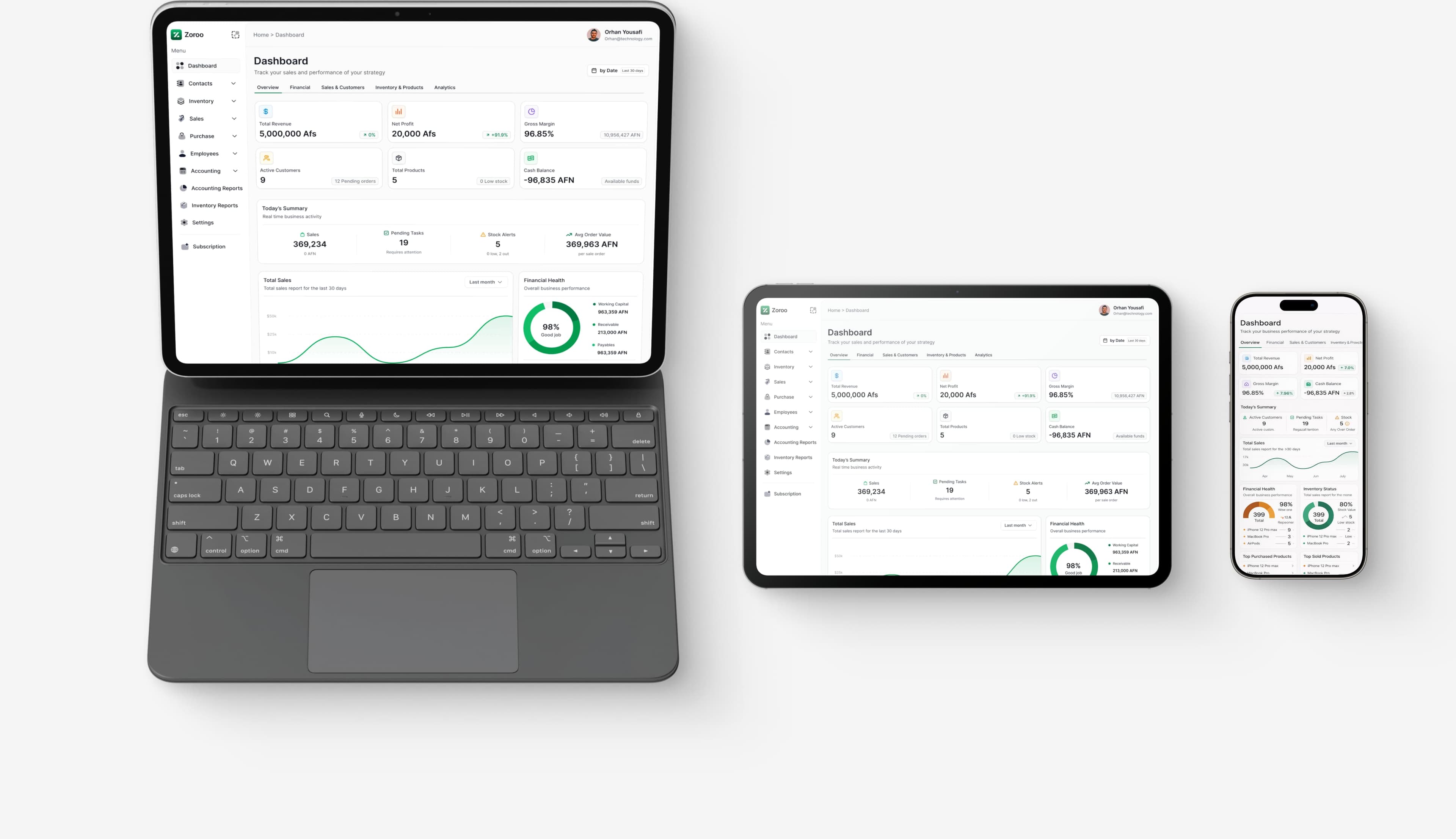

Inventory Management
Keep perfect track of your stock with real-time inventory tracking, warehouse management, and automated reorder points.
How the Inventory App Works
A quick walkthrough — units, categories and product setup.
Step 1
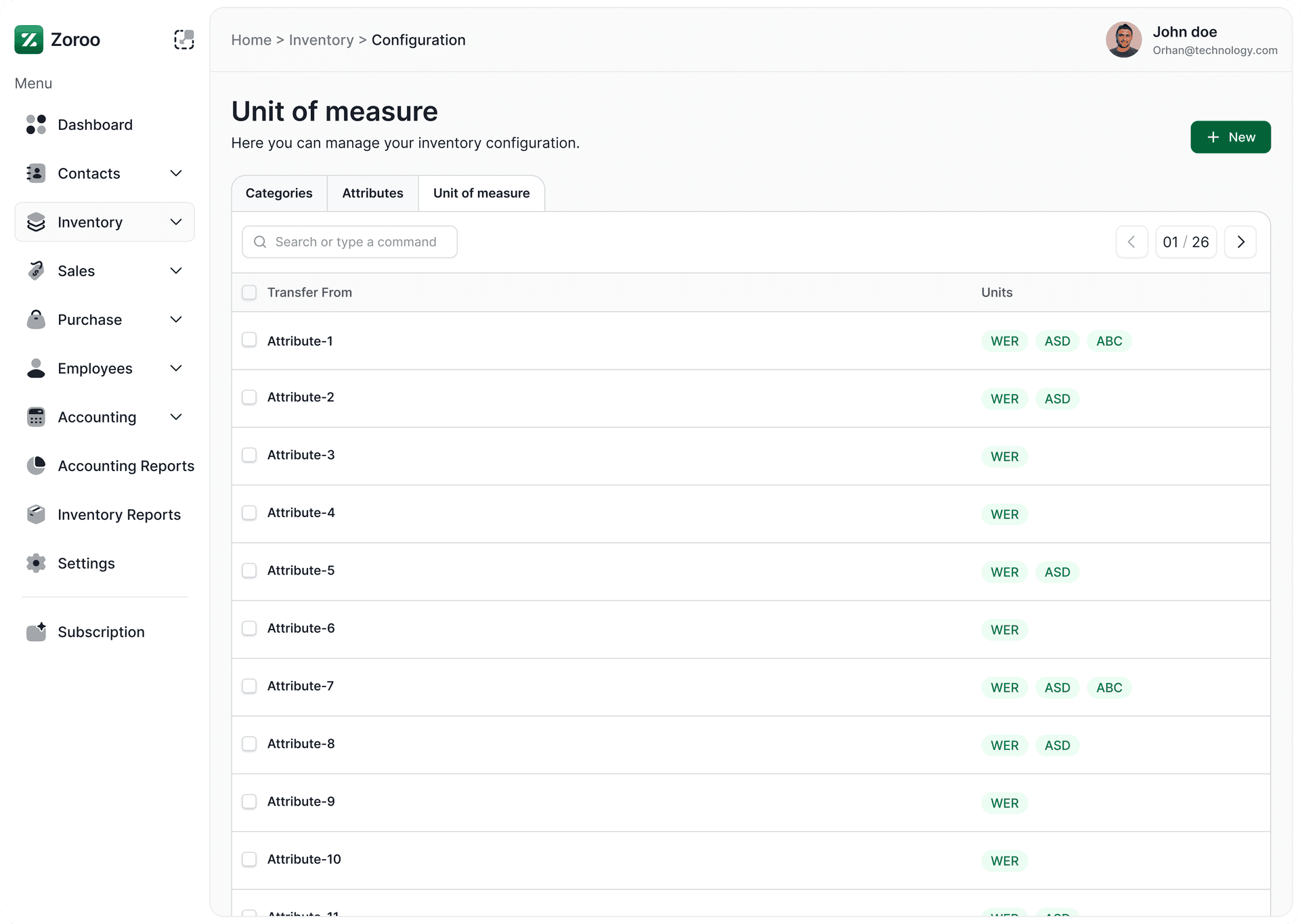
View units of measure
Open the units list to view defined units of measure.
Step 2
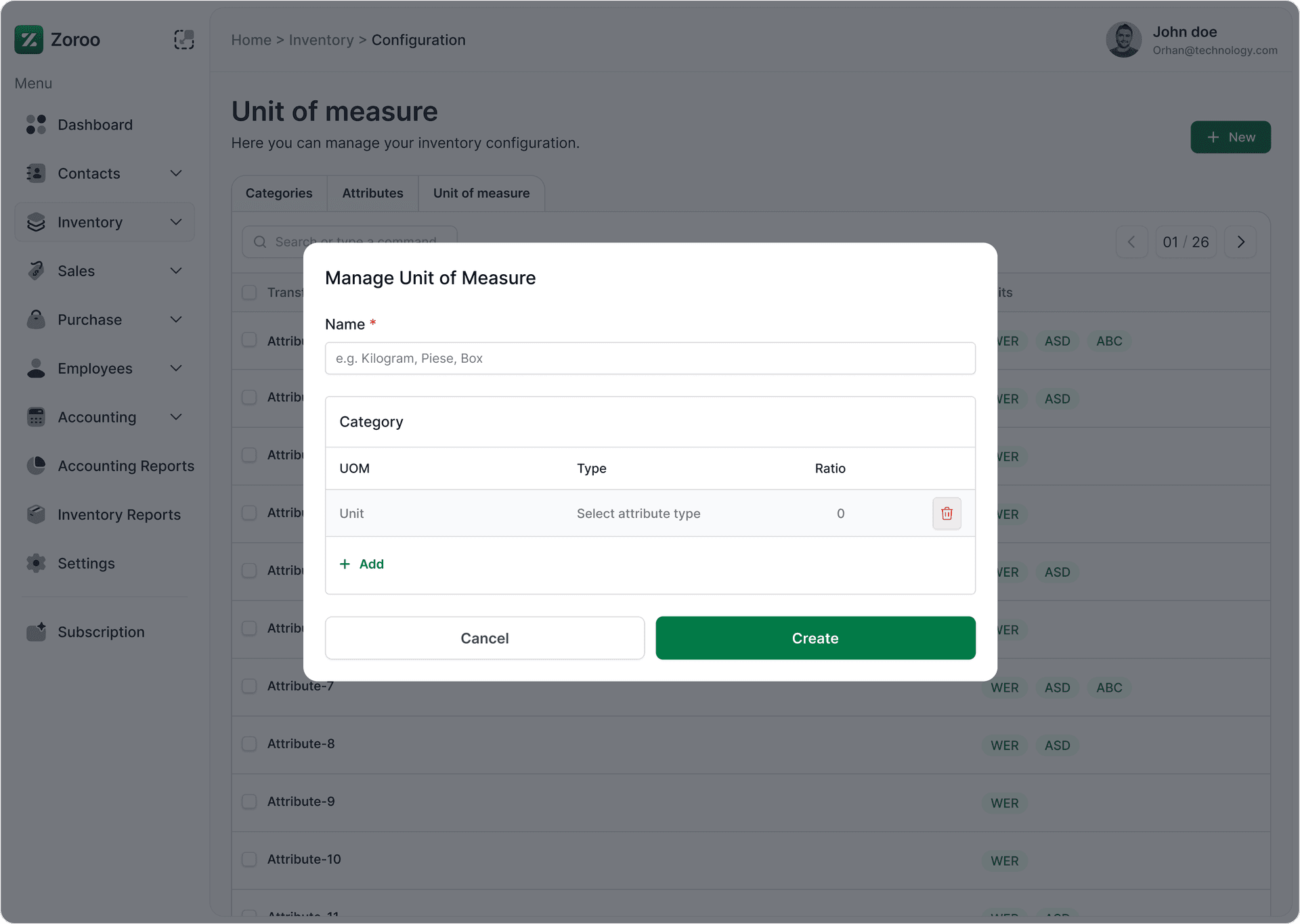
Create units of measure
Add a new unit (e.g., pcs, kg) — required before creating products.
Step 3
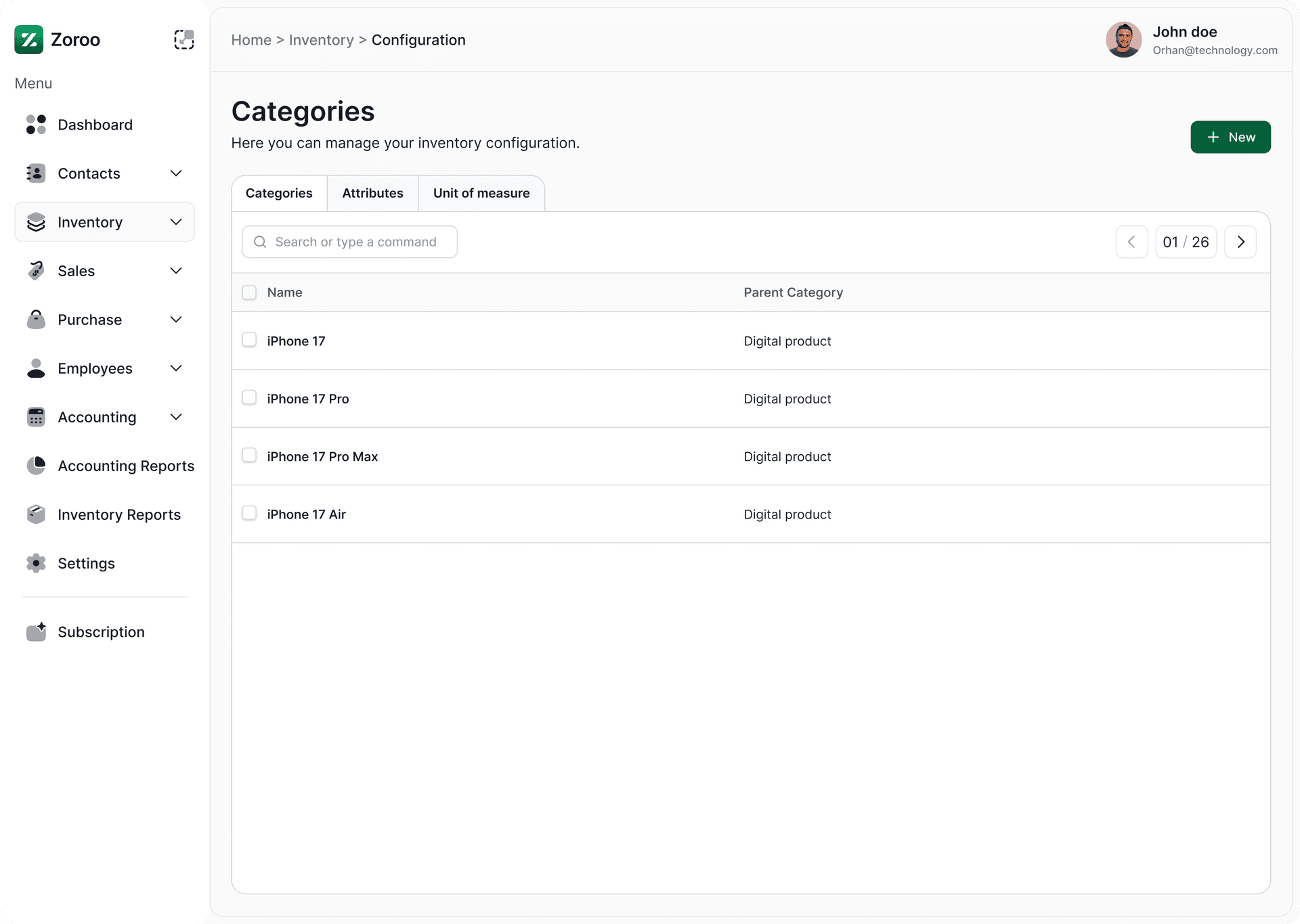
View categories
View existing product categories to understand organization.
Step 4
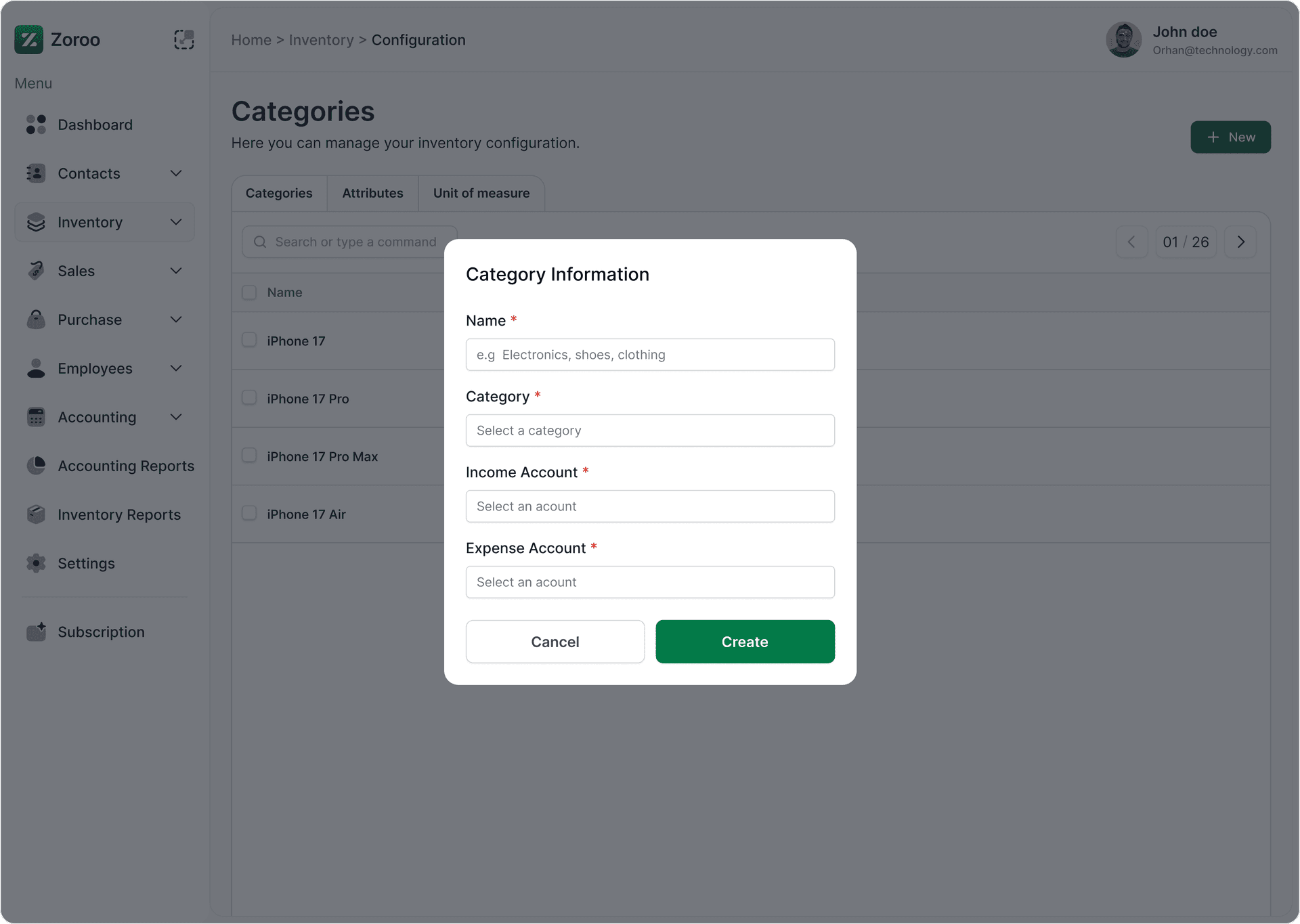
Create categories
Add a new category — categories are needed when creating products.
Step 5
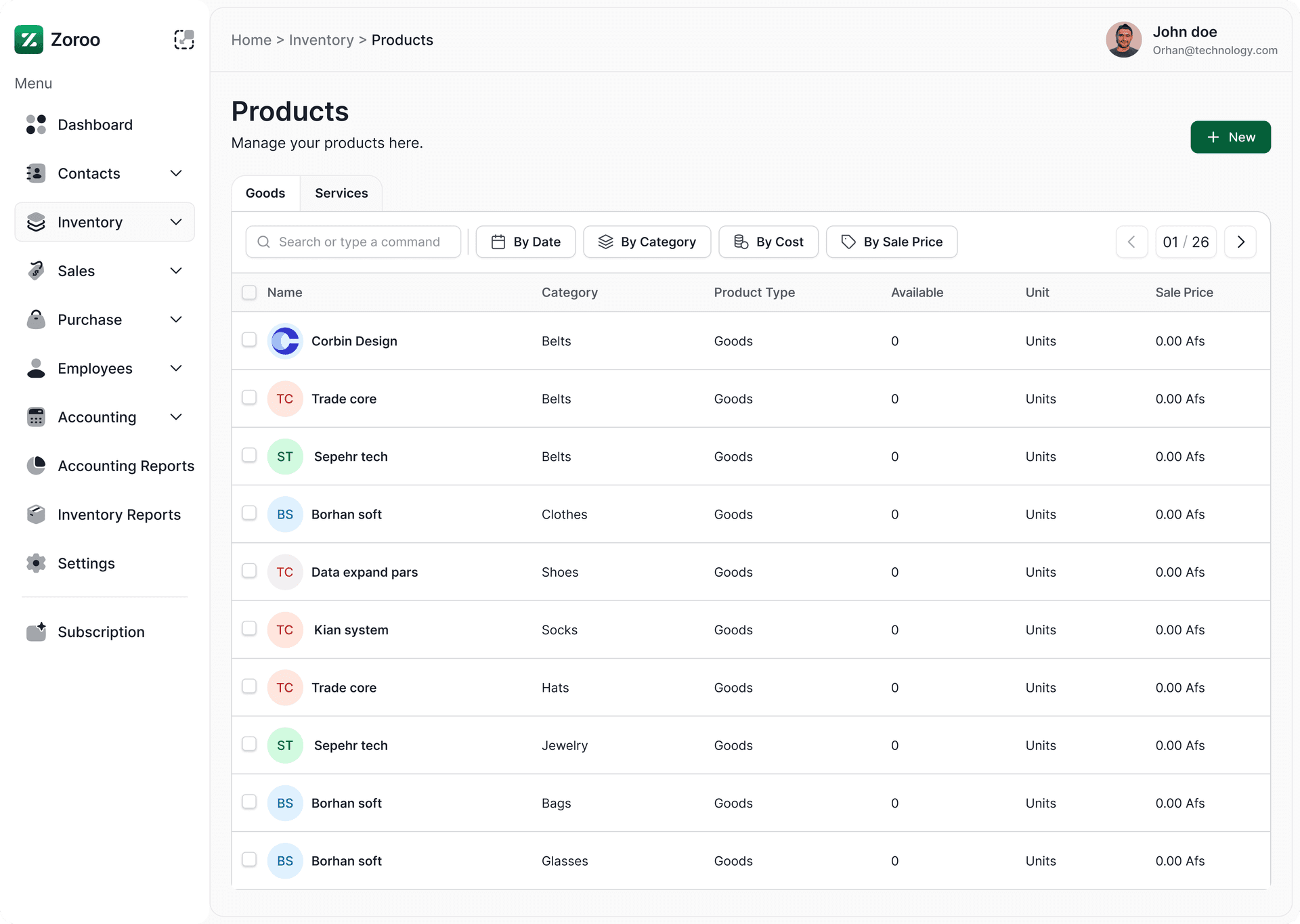
View products
Browse the product list and inspect product details.
Step 6
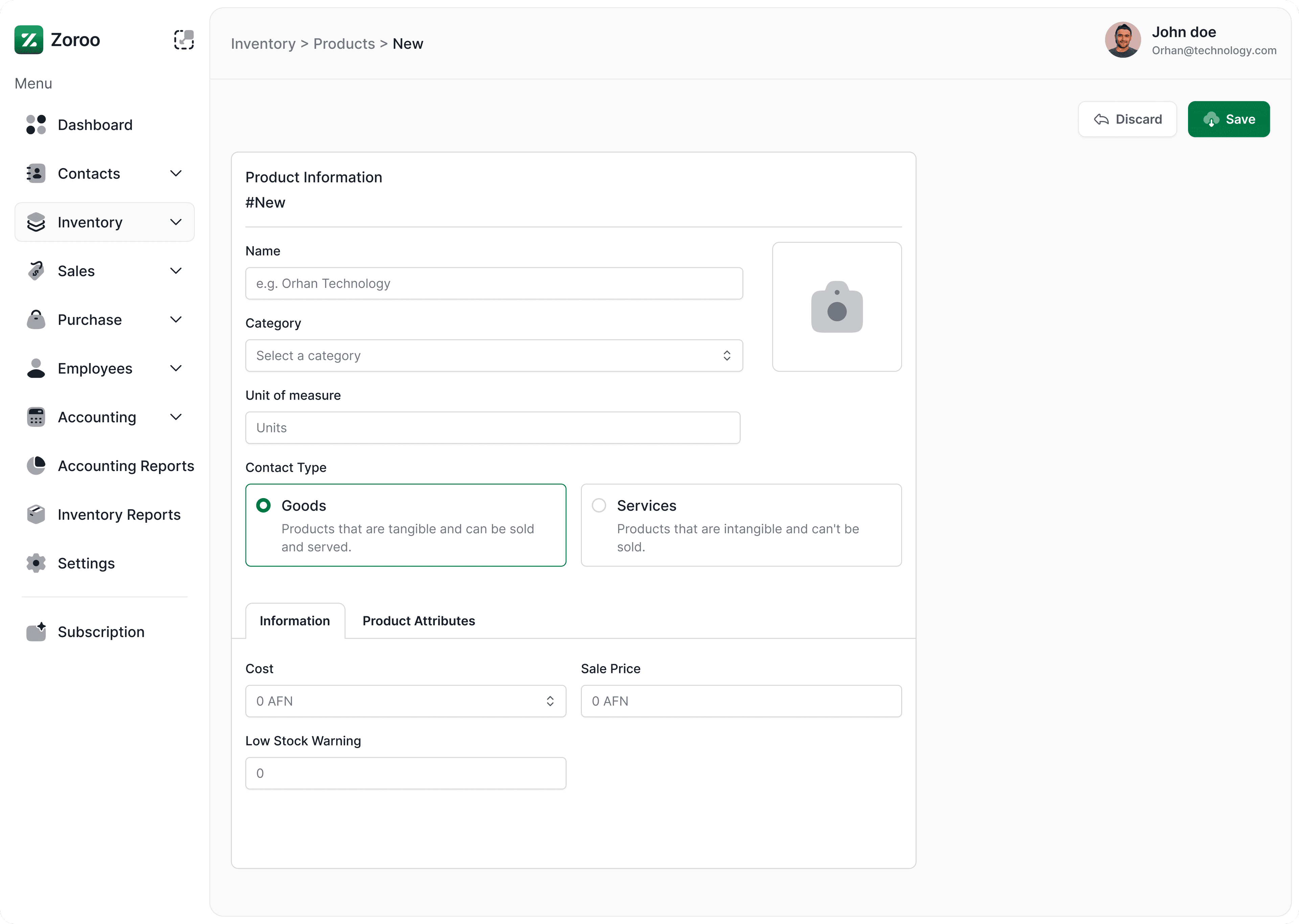
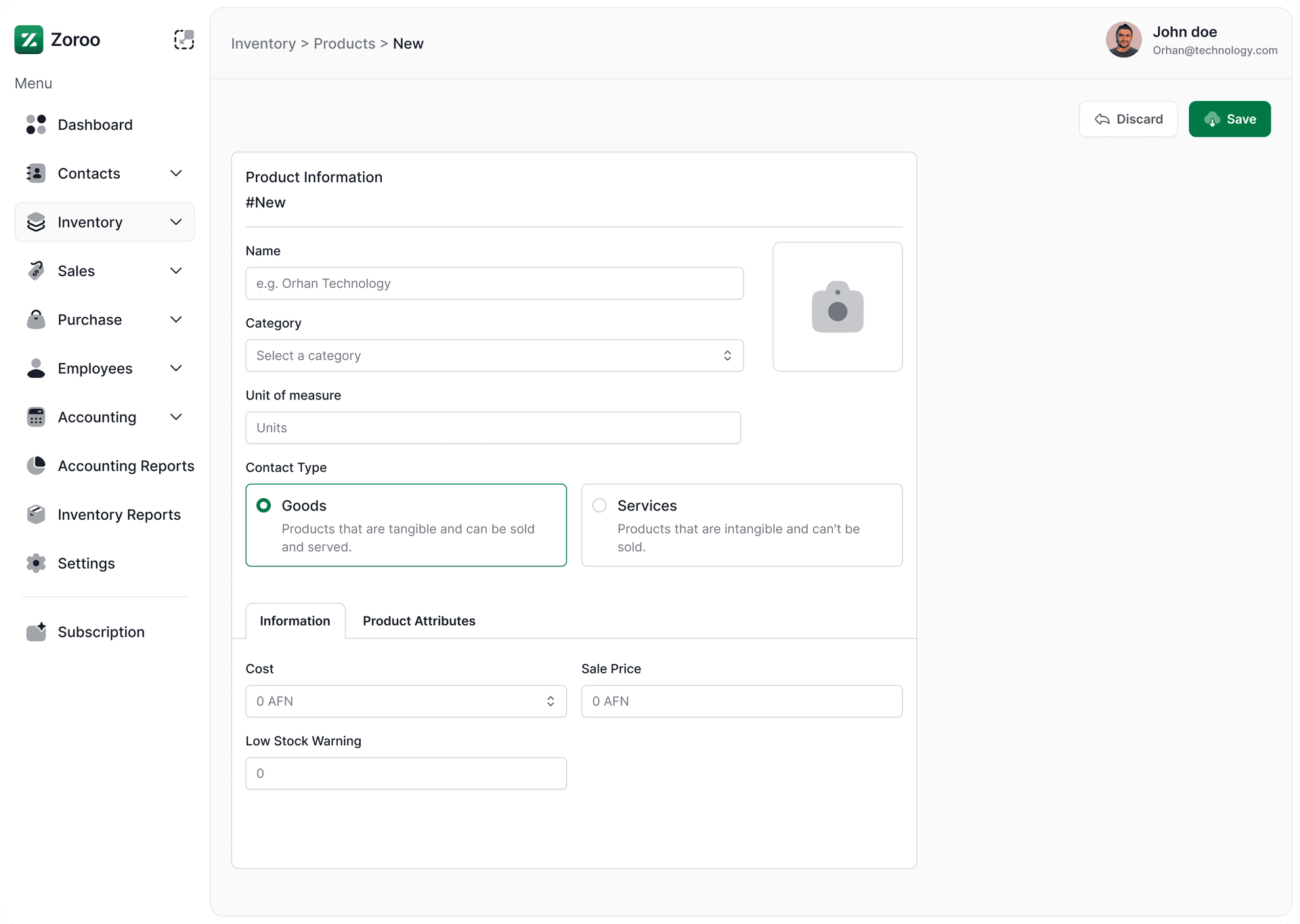
Create product
With units and categories set, create products using the product form.
Explore more apps
Discover complementary apps that streamline other parts of your business workflow.


Start you're 14 day free trial today
You can test our system for 14 days for free, or get your plan.